
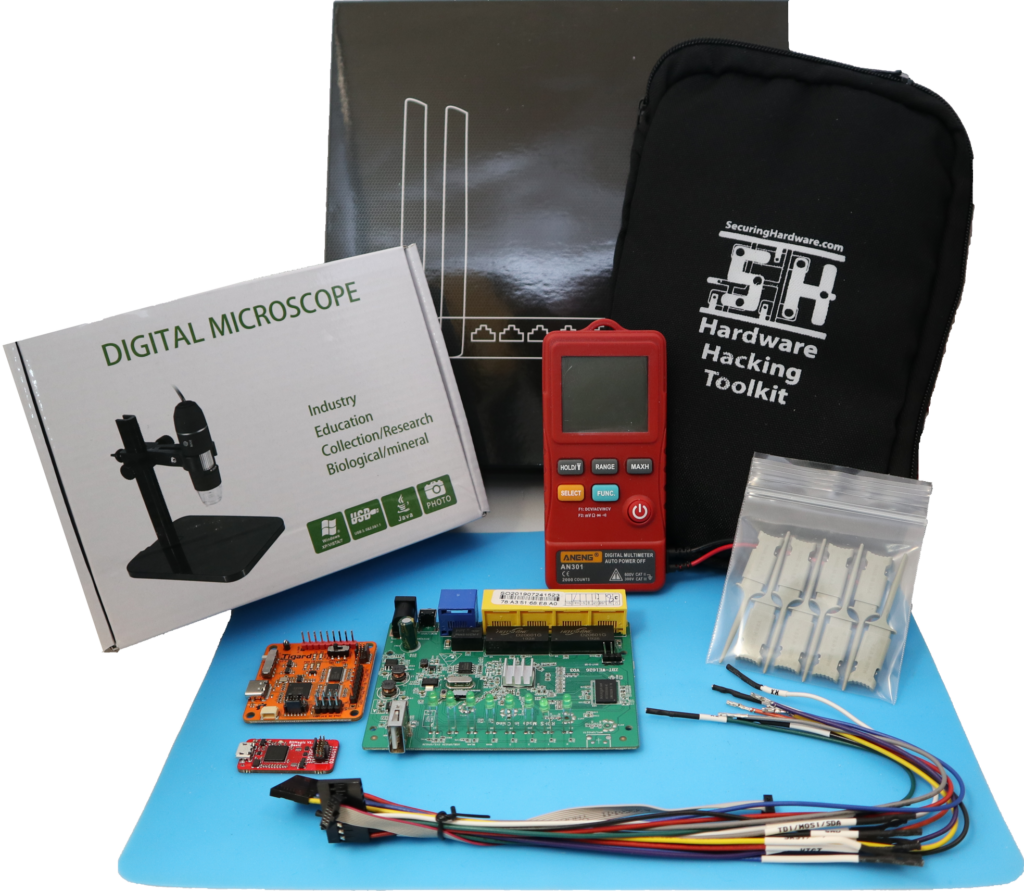
This course introduces and explores attacks on several different relatively accessible interfaces on embedded systems. Attendees will get hands-on experience implementing and deploying a number of low-cost hardware devices to enable access, privilege, and deception which is in some cases imperceptible from software.
Course Format:
All of the lectures, labs, and support options are hosted on this site. You can see the individual topics covered below, or refer to SecuringHardware.com for some more general information about our course offerings and content.
Duration:
This online course is the equivalent to 2 days of in-person training, roughly 16 hours of instruction. It can take more or less time, depending on your background, experience, and how many optional paths you pursue.
If you plan to work on the course daily, we recommend 15 to 45 minutes a day for 3-4 weeks to complete the material. If you plan on working on the course weekly, we recommend 2 hours a week for 8 weeks.
You will have full access to the material and online support for 90 days. Beyond 3 months, you’ll continue to have access to the current course material, but the materials may evolve and be updated over time.
Equipment:
Once you’ve purchased access on this site, you’ll get immediate access to the course website. Your toolkit will be shipped via USPS priority mail in the US and UPS Worldwide service elsewhere.
Customs paperwork will reflect the wholesale cost of the equipment, not the purchase price of the course. You’ll be responsible for duties and tariffs if applicable.
Equipment from Other Sources:
If you purchased from another source (CrowdSupply, Mouser, etc), your kit will include a card with a coupon code to activate your access for 3 months.
Access to this site is per-user and not transferable. If you received second hand equipment and would like to purchase access to the course content without additional hardware, choose the ‘I already have a complete kit to use’ on the registration page for discounted access
Live Delivery
If you’re part of a group or conference, we’ll still use the course materials on this site, but they’ll be supplemented with live lectures – follow the instructions you received with registration.
Getting the Most out of the Class
My single strongest recommendation, both with working through the course material and working on hardware in general, is to write things down. You have a few options, choose which works best for you:
- Pencil and paper is my personal preference. I like to see my notes right next to the hardware i’m working with
- Note-taking apps have great organizing and indexing features. If you have a preferred one, use it.
- Every lesson in this class has a ‘notes’ box where you can record your results, and later retrieve/print/export them.
Software Requirements
The official, supported recommendation is to use a computer with Ubuntu 20.04, 3 USB ports, Ethernet, and a webcam. This is the most reliable option as it completely isolates your work on the class and the tools used from potentially harming any of your personal or business data, plus it’s the most reliable option when constantly plugging and un-plugging USB devices.
While a dedicated hardware hacking system is recommended, there is a bootable USB image that will work as well. Booting this image in a VM is possible, but not recommended – USB passthrough is unreliable on the majority of systems and likely to be very frustrating.
See Appendix A: Software for details about the tools needed and each of these options.
Getting Help
As you work through the course, there are three ways to get help when you need it:
- By email, generally responding within 1 business day.
- By appointment for video conferencing, helpful for debugging hardware issues.
- By message board forum, though I may change this to a group chat in the near future.
Account Access and Data Retention
It is my hope that you use the skills you learned in this class and perhaps share those skills with others, but accounts are for individual use only, and the online course materials are not licensed for duplication or sharing.
However, until my classes have gender and racial diversity representative of the whole population, I would be delighted for any of you to pass your equipment to and support/facilitate/mentor someone underrepresented in our field as they work through the course material. They will get the benefit of training without the need for a training budget, you get the opportunity to hone the skills you have acquired by passing them on, and the industry gets a more skilled, more diverse workforce. Let me know if you’re interested and I will help set up an account and grant access to the course material.
Your account and data will be automatically deleted after 120 days of inactivity. We will alert you by email after 90 and 115 days of inactivity reminding you to login to keep your account active. To remove data sooner, contact dataremoval@securinghardware.com from your registered email address.
